


Returning farmers.gov user? Log into your existing account.
To start the sign-up process or create a Login.gov account:
- Click the Log In button above.
- On USDA's eAuthentication page, select the Login.gov option.
- On the Login.gov sign-in page, select "Create an account."
For full details about signing up, read our instructions for creating an account below.
The 3 steps below will walk you through how to create an account.
1Sign Into Login.gov
Go to USDA's eAuthentication Customer Login page and click the Login.gov option.
- If you already have a Login.gov account, sign into your account.
- If you do not have a Login.gov account, click the “Create an account” option and follow the instructions from Login.gov. Learn more about what you need to create a Login.gov account.
2Verify Your Identity
To keep your personal information protected and secure, Login.gov requires that you verify your identity. If you have already verified your identity with Login.gov, you will automatically go to Step 3.
You have two options:
- Use Login.gov’s online process. You will be prompted to do this as part of creating your account.
- Schedule a visit to your local USDA Service Center for in-person identity verification with a Local Registration Authority (LRA) employee. LRAs are located at most Service Center offices, but please call ahead to ensure that one is available to assist you.
3Create or Link Your USDA Customer Record
This record is sometimes called a Business Partner ID, BPID, Business Partner Customer Record, or FSA Customer Record.
If you have done business with FSA or NRCS before and have a USDA Customer Record, the system will attempt to link it to your Login.gov account. If that fails, you will be taken to a page where you can search for your record. Click the "Check for Record" button.
If you are new to working with FSA and NRCS, you will need to request a USDA Customer Record. Login.gov will take you to a page where you can do this online.
- Click the "Start Customer Data Worksheet" button and fill out the form.
- Your information will be sent securely to your local USDA Service Center.
- Your local office staff will create your customer record. It could take up to 7-10 business days.
- You will receive a "Welcome to Farmers.gov" email when you are able to log into FSA and NRCS customer portals, including farmers.gov.
Once your record is linked, you will use your Login.gov credentials to sign in.
How To Log Into Farmers.gov
If you need to create a farmers.gov account, follow the three steps above to sign up.
If you already have a farmers.gov account and a Login.gov account, follow these steps to to log in:
- Go to the USDA eAuth Customer Login page and click the Login.gov option.
- On the Login.gov page, enter your credentials to sign into your account.
If you still use an eAuth username and password to sign into farmers.gov, you will need to switch to Login.gov in order to log in:
- If you do not have a Login.gov account: Learn how to create a Login.gov account and connect it to your eAuth account.
- If you have a Login.gov account and want to use that to log into farmers.gov: Learn how to connect your Login.gov account to your eAuth account.
Read Frequently Asked Questions (FAQs)
If you have questions about Login.gov, identity verification, or connecting an eAuth account, browse the Public Customer FAQs.
Contact Us
For direct assistance, contact your local USDA Service Center or technical support.
What Can You Do at FSA and NRCS with a Login.gov Account?
You can use Login.gov to access any FSA or NRCS customer portal, including the farmers.gov customer portal. You can also use your Login.gov account to work online with other federal agencies.
Farmers.gov Customer Portal Features
To learn more about farmers.gov portal features, download the farmers.gov fact sheet or learn more about each of the topics below.
Financial Tools
- Make USDA direct farm loan payments using the Pay My Loan feature.
- Pay Dairy Margin Coverage fees and premiums online with debit/credit card or ACH Debit.
- View farm loan information, history, and payments. For other FSA payment information, use the FSA Financial Inquiries Tool.
- Get help requesting financial assistance and submitting a program application.
Conservation Tools
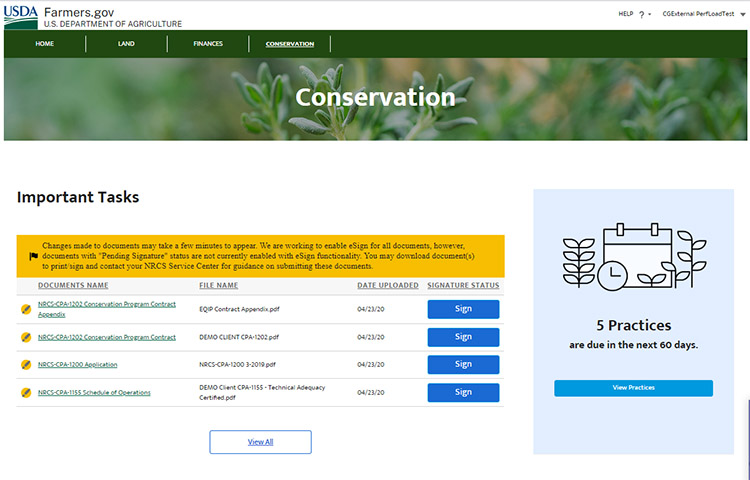
- View, upload, download and e-sign conservation documents.
- Get help understanding technical terms and find answers to your questions.
- Request conservation assistance, view and track your current and past conservation practices and contracts, including the amount of cost share assistance received and anticipated.
- Download the farmers.gov conservation information fact sheet to learn more.
Representative Authority
- Switch account profiles to do business for your power of attorneys, business entities, and signature authorities.
Farm Records Mapping
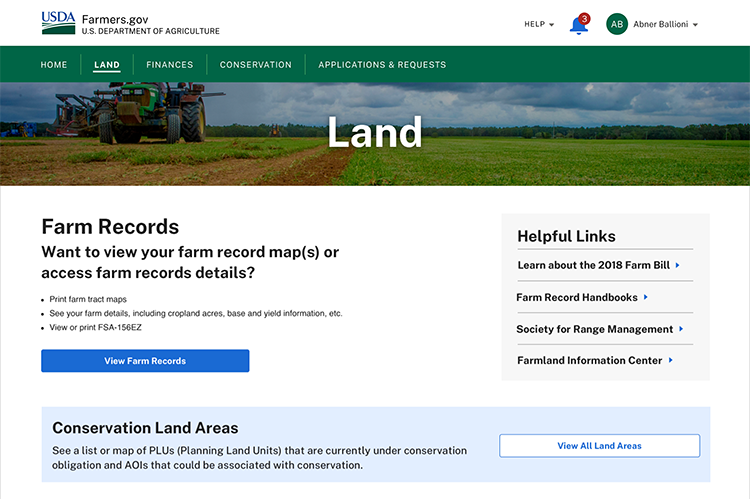
- View, print and export detailed farm records and farm/tract maps.
- Import precision agriculture planting boundaries, create labels containing crop information, and print both on farm tract maps.
- Use the draw tools to determine acres in a drawn area. The drawn area can be printed on a map and provided to a third party or exported as a feature file for use in other geospatial applications.
Underlined Header
Farm Loan Management
Learn how to use features to manage your FSA farm loans, including viewing your loans, making a payment, and starting a new loan application.
Go to the full Farm Loan Management playlist.
Underlined Header
Conservation Features
Learn how to navigate the conservation section of farmers.gov including an overview, eSigning documents, downloading and printing documents, and filtering content.
Go to the full Conservation Features Playlist.
Underlined Header
Farm Records Mapping
These videos review how to easily navigate through your farm, tract, and field information, including using draw tools and importing shape files.
Go to the full Farm Records Mapping Playlist.
Underlined Header
Switch Profile
Learn how to access an entity or other customer’s data if you are farming as business entities or acting on behalf of another customer.
Go to the full Switch Profile Playlist.





Find Your Local Service Center
USDA Service Centers are locations where you can connect with Farm Service Agency, Natural Resources Conservation Service, or Rural Development employees for your business needs. Select your state and county below to find your local service center and agency offices.
Looking for something else?
- Use the FSA Office Locator to book an appointment or contact your local FSA Farm Loan or Farm Program office.
- Learn more about Urban Service Centers.
- Find an NRCS Conservation District Partners location.
- Visit the Risk Management Agency website to find a regional or compliance office or an insurance agent near you.